MTA-STS and TLS-RPT Explained: Setup, Records and Reports
MTA-STS (SMTP MTA Strict Transport Security) is a way for a domain to tell sending mail servers "only deliver to my MX hosts over TLS, and only if the certificate is valid." TLS-RPT (SMTP TLS Reporting) is its companion: a DNS record that asks those senders for a daily report of TLS successes and failures. Both protect mail coming in to your domain. One caveat before anything else: neither changes whether the mail you send lands in the inbox or in spam.
What problem does MTA-STS solve?
MTA-STS solves the problem that encryption between mail servers is optional by default, so an attacker on the network path can switch it off without either side noticing.
Mail servers encrypt with STARTTLS: the receiving server advertises it, and the sender upgrades the connection. This is opportunistic. If the advertisement is stripped from the reply, or the certificate is wrong, most senders deliver anyway, in plain text or to whoever answered. An attacker who can also forge a DNS answer can point the sender at a different MX host entirely. MTA-STS closes both gaps by publishing, over HTTPS, the list of MX hosts that are genuine and a rule that TLS with a valid certificate is required.
How does MTA-STS work?
MTA-STS works through two published items: a TXT record at _mta-sts that signals a policy exists, and a policy file served over HTTPS from the mta-sts subdomain that lists the allowed MX hosts and the mode. The standard is RFC 8461, published in September 2018.
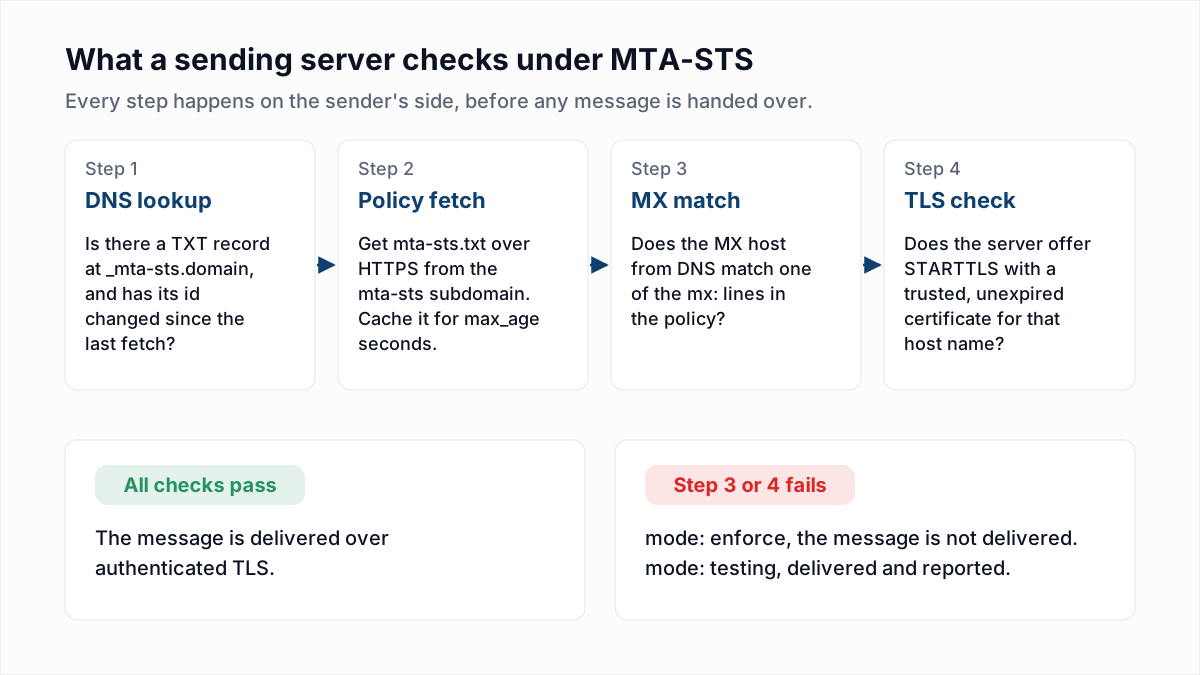
Here is a real pair, fetched on 13 November 2026. First the TXT record for gmail.com:
$ dig +short TXT _mta-sts.gmail.com
"v=STSv1; id=20190429T010101;"
Then the policy file it points senders to, verbatim:
$ curl -s https://mta-sts.gmail.com/.well-known/mta-sts.txt
version: STSv1
mode: enforce
mx: smtp.google.com
mx: gmail-smtp-in.l.google.com
mx: *.gmail-smtp-in.l.google.com
max_age: 86400- id in the TXT record is a version label of up to 32 letters and digits. Senders re-fetch the policy file only when the id changes.
- version is always
STSv1. - mode is
testing,enforceornone. - mx lines, one per line, list every host your MX records point to. A wildcard such as
*.example.netmatches exactly one leftmost label. - max_age is how many seconds a sender may cache the policy. The RFC maximum is 31557600, about one year. Gmail uses one day.
The file must be served over HTTPS with a valid certificate for mta-sts.yourdomain, and senders do not follow redirects. On the same day, outlook.com published mode: enforce with a seven-day max_age, and yahoo.com published mode: testing.
Caching is what makes the policy hard to attack, and also what makes mistakes sticky. RFC 8461 says a sender that cannot fetch the policy but holds an unexpired cached copy applies the cached copy. An attacker who blocks the HTTPS fetch gains nothing. Equally, a wrong mx line published in enforce mode stays enforced by every sender that cached it until max_age runs out. Keep max_age short while testing and lengthen it once the policy is stable.
What do the MTA-STS modes testing, enforce and none mean?
The MTA-STS mode tells a sender what to do when your MX host fails validation: testing means deliver anyway and report it, enforce means do not deliver, and none means treat the domain as having no policy.
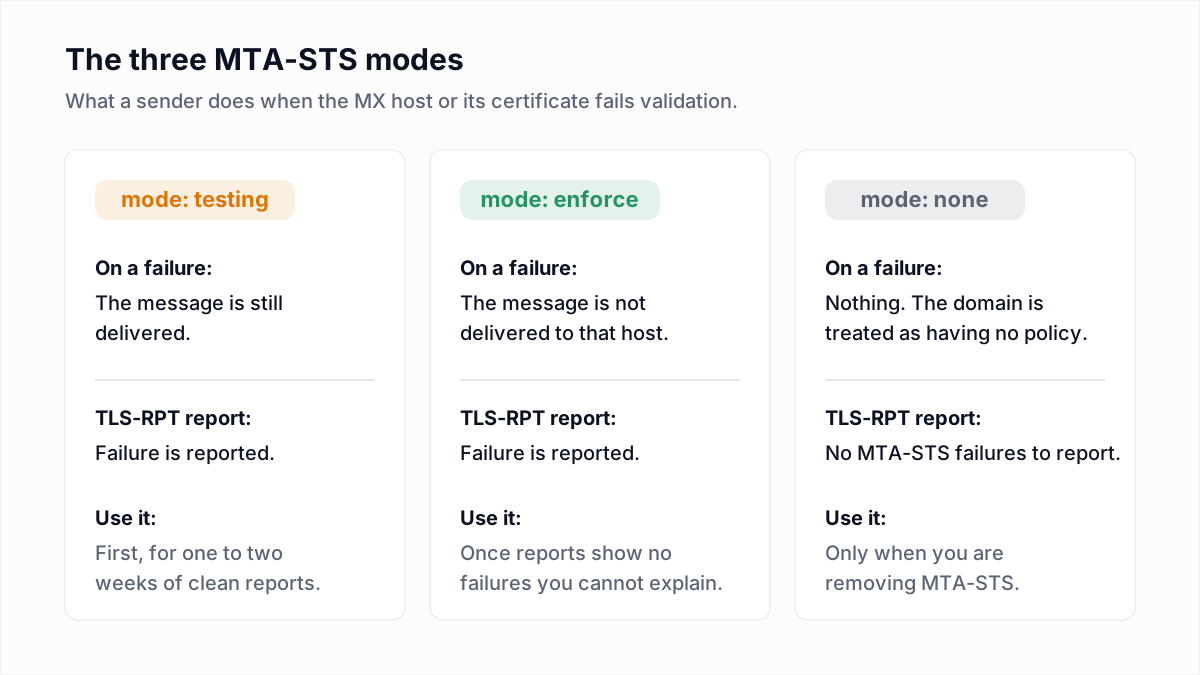
none exists for removal. RFC 8461 says to publish a none policy with a short max_age, change the id, wait for older cached policies to expire, and only then delete the record and the file. Deleting everything at once leaves senders enforcing a cached policy you can no longer update.
What is TLS-RPT?
TLS-RPT is a TXT record at _smtp._tls that tells sending servers where to send a daily JSON report on their TLS connections to your domain. It is defined in RFC 8460. The rua tag takes a mailto: or https: address. Gmail's own record, also fetched on 13 November 2026:
$ dig +short TXT _smtp._tls.gmail.com
"v=TLSRPTv1;rua=mailto:sts-reports@google.com"
Without TLS-RPT you publish a policy blind. With it, a misconfigured backup MX shows up in a report while you are still in testing mode, not as lost mail after you enforce.
What a TLS-RPT report contains
This sample is constructed for illustration, following the schema in RFC 8460. It is not a real report.
{
  "organization-name": "Example Mail Provider",
  "date-range": {
    "start-datetime": "2026-11-11T00:00:00Z",
    "end-datetime": "2026-11-11T23:59:59Z"
  },
  "contact-info": "tls-reports@provider.example",
  "report-id": "2026-11-11T00:00:00Z_example.com",
  "policies": [{
    "policy": {
      "policy-type": "sts",
      "policy-string": ["version: STSv1", "mode: testing",
        "mx: mx1.example.com", "mx: mx2.example.com",
        "max_age: 604800"],
      "policy-domain": "example.com"
    },
    "summary": {
      "total-successful-session-count": 412,
      "total-failure-session-count": 9
    },
    "failure-details": [{
      "result-type": "certificate-host-mismatch",
      "sending-mta-ip": "203.0.113.20",
      "receiving-mx-hostname": "mx2.example.com",
      "receiving-ip": "198.51.100.25",
      "failed-session-count": 9
    }]
  }]
}
Read it in three parts. date-range is one UTC day. policy is the policy the sender found, so you can confirm it fetched the current one. summary and failure-details are the result: 412 sessions were fine, and 9 failed because the certificate on mx2.example.com does not cover that host name. In testing mode those 9 messages were still delivered. In enforce mode they would not have been delivered to that host.
| result-type in the report | What it means | What to do |
|---|---|---|
starttls-not-supported | The MX host did not offer STARTTLS. | Turn on TLS on that mail server, or remove the host from MX. |
certificate-expired | The MX host's certificate is past its end date. | Renew the certificate and automate renewal. |
certificate-host-mismatch | The certificate does not name the MX host. | Issue a certificate that includes the MX host name. |
certificate-not-trusted | The certificate does not chain to a trusted root, for example self-signed. | Replace it with one from a public certificate authority. |
sts-policy-fetch-error | The sender could not retrieve the policy file. | Check the URL, the HTTPS certificate and that there is no redirect. |
sts-policy-invalid | The policy file was fetched but failed validation. | Check the four keys, one per line, and the mx lines. |
Which providers honour MTA-STS when sending?
Gmail and Microsoft Exchange Online both document that they apply a recipient domain's MTA-STS policy when sending, as of November 2026.
- Google. The Google Workspace admin help page About MTA-STS and TLS reporting says: "Gmail messages from your domain comply with MTA-STS when sent to external servers with an MTA-STS policy in enforced mode."
- Microsoft. Microsoft's Enhance mail flow with MTA-STS documentation says outbound validation from Exchange Online is "always turned on" and needs no admin action. When an enforce policy fails, the sender gets a bounce with
5.4.8 MX hosts of 'domain' failed MTA-STS validationor5.7.5 Remote certificate failed MTA-STS validation.
A sender that does not support MTA-STS ignores your policy and delivers as before, so publishing one never blocks mail from older systems. For the full list of bounce formats, see the email bounce codes hub.
How do you set up MTA-STS and TLS-RPT?
You set up MTA-STS and TLS-RPT by publishing the reporting record first, then a policy in testing mode, and switching to enforce only after the reports show no unexplained failures. Google recommends a testing max_age of one to two weeks. For the rest of a domain's mail records, see DNS records for email.
| Record | Where it goes | Example value |
|---|---|---|
| TLS-RPT TXT record | _smtp._tls.example.com | v=TLSRPTv1; rua=mailto:tls-reports@example.com |
| MTA-STS policy file | https://mta-sts.example.com/.well-known/mta-sts.txt | Four keys: version: STSv1, mode: testing, one mx: line per MX host, max_age: 604800 |
| A or CNAME record for the policy host | mta-sts.example.com | The web host that serves the file with a valid HTTPS certificate |
| MTA-STS TXT record | _mta-sts.example.com | v=STSv1; id=20261113080000Z; |
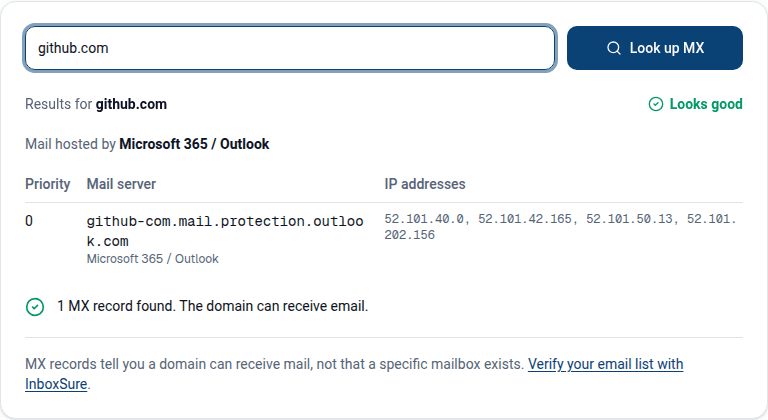
- List your MX hosts. Use the MX lookup. Every host must appear in the policy.
- Publish the TLS-RPT record so reports start arriving.
- Write the policy file in
mode: testing. - Host it over HTTPS at the exact path. Microsoft notes that Exchange Online cannot host the file for you; any static host with a certificate for the
mta-stssubdomain works. - Publish the
_mta-stsTXT record last, with a timestamp as the id. - Read the reports for one to two weeks and fix every failure.
- Switch to enforce. Change the file first, then the id. RFC 8461 specifies that order so no sender caches the old policy under the new id.
- Keep that order for every MX change. Add the new host to the policy and change the id before you change the MX records.
Is DANE an alternative to MTA-STS?
DANE is the alternative to MTA-STS that publishes the mail server's certificate details in DNS as TLSA records signed with DNSSEC, so it needs no web server and no certificate authority, but it does need DNSSEC on your domain.
RFC 8461 says MTA-STS exists for domains where "deploying DNSSEC is undesirable or impractical," and that a sender must not let MTA-STS override a failing DANE check. You can publish both. Microsoft announced general availability of inbound SMTP DANE with DNSSEC for Exchange Online on 28 October 2024.
Does MTA-STS improve deliverability or spam placement?
No, MTA-STS does not improve deliverability or spam placement, because it governs how other servers deliver mail to your domain and is not a signal that receivers use to judge the mail you send.
What does affect your outbound mail is different. Google's email sender guidelines require senders to "use a TLS connection for transmitting email," which is about your sending server offering TLS, not about MTA-STS. Authentication is SPF, DKIM and DMARC. To see whether a given hop used TLS, read the Received lines as shown in how to read email headers. And bounce rate is about list quality, which no transport setting touches.
That last part is the one InboxSure handles. It checks each address for syntax, MX records and a live mailbox over SMTP without sending, and flags catch-all domains, role accounts and known disposable domains. It does not test TLS, MTA-STS or inbox placement. If your transport security is in order and bounces are the remaining problem, run the list through the bulk email verifier: the Free plan covers lists of up to 50 addresses with no card.
Frequently asked questions
Related reading
Ready to clean your email list?
Upload a CSV or XLSX and get every address marked deliverable, risky, undeliverable or unknown, with the reason. Free for lists of up to 50, no card. Nothing is sent to your contacts.