Proofpoint Blocked Your Email (550 5.7.0): How to Get Unblocked
The one thing to know before you do anything else: a Proofpoint block is about the server that connected, not the person you wrote to. The address is probably fine. Do not delete it, and do not resend the same message from the same IP hoping for a different answer.
Proofpoint Dynamic Reputation (PDR) is the IP reputation system that Proofpoint's email security products consult when a server connects to deliver mail. This post covers what the reply means, what to fix, how to ask for removal, and why a verification tool can hit the same wall. Everything attributed to Proofpoint below comes from three Proofpoint pages we read on 13 November 2026: its Postmaster page (marked "Last updated July 10, 2026"), its Dynamic Reputation IP Lookup and its PDR IP Lookup FAQ.
What does "550 5.7.0 Blocked - see ipcheck.proofpoint.com" mean?
"550 5.7.0 Blocked - see https://ipcheck.proofpoint.com/?ip=" means a mail server protected by Proofpoint refused the connecting IP address because of that IP's reputation. The reply is permanent for that message and says nothing about the recipient.
This is the exact reply InboxSure received on 4 November 2026, during our research into how providers answer verification checks, from one of the pphosted.com mail servers that handle mail for proofpoint.com:
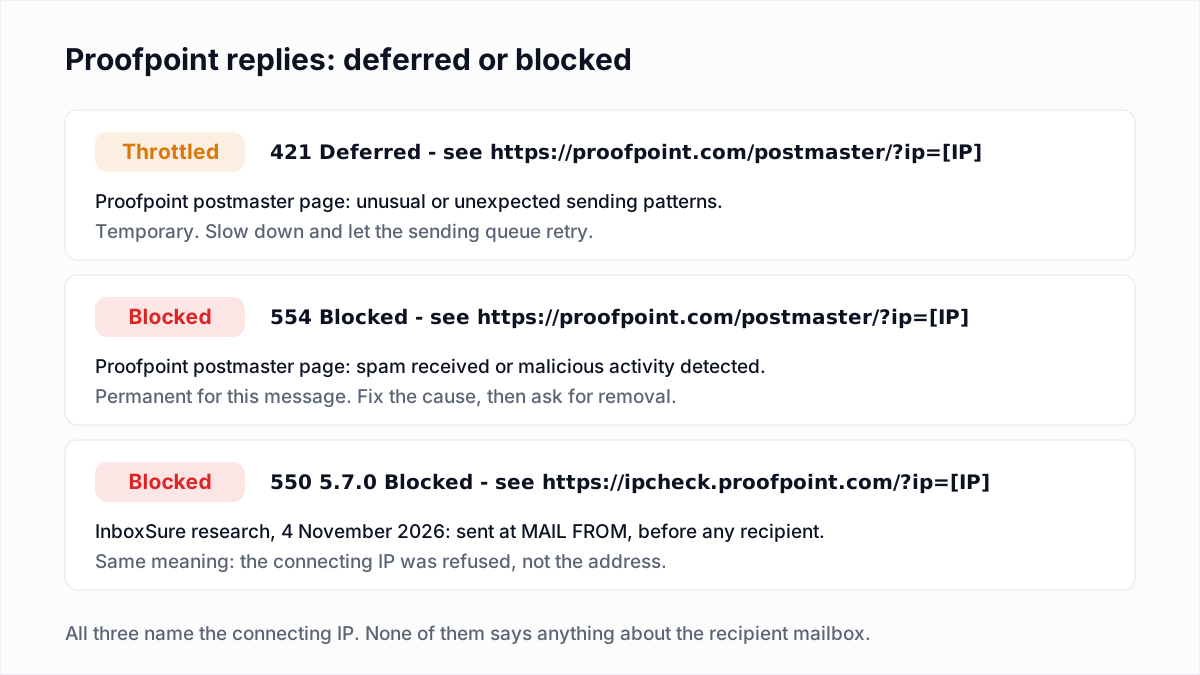
550 5.7.0 Blocked - see https://ipcheck.proofpoint.com/?ip=[IP]It arrived at MAIL FROM, before we had named a recipient, so it cannot be a verdict on a mailbox. The 5.7.0 part is the generic "security or policy" status, and the link carries the blocked IP. The wording varies with the Proofpoint product and its age. Proofpoint's own pages show three other forms:
| Reply | Meaning | Action |
|---|---|---|
550 5.7.0 Blocked - see https://ipcheck.proofpoint.com/?ip=[IP] (captured by InboxSure, 4 November 2026) | The connecting IP is refused on reputation. Sent before the recipient is named. | Find the cause, fix it, then submit the IP on Proofpoint's IP lookup. |
554 Blocked - see https://proofpoint.com/postmaster/?ip=1.2.3.4 (Proofpoint Postmaster page) | Proofpoint says the sender's IP and/or domain is blocked "due to spam received or malicious activity detected". | Same as above: fix first, then submit a delist request. |
421 Deferred - see https://proofpoint.com/postmaster/?ip=1.2.3.4 (Proofpoint Postmaster page) | Proofpoint says the IP is throttled for "unusual or unexpected sending patterns". | Temporary. Lower the volume and let the sending queue retry. Do not request delisting yet. |
550 5.7.1 Email rejected because 1.2.3.4 is listed by Proofpoint.com (example in Proofpoint's FAQ) | The IP in the text is on the Dynamic Reputation list. | Use that IP in the lookup. It is the address to fix and to submit. |
| No error, but the message never arrives | Proofpoint says messages can be filtered for content, and "in this case no error message is returned". | Not an IP block. Ask the recipient to check their quarantine. |
If your bounce is a different 5.7.x from a different provider, the email bounce codes hub has the full list.
Who uses Proofpoint, and why does one block hit many recipients?
Proofpoint is used by organisations that put a filtering gateway in front of their own mail system, so one listing in Proofpoint Dynamic Reputation can cause refusals at many unrelated recipient domains at once.
Proofpoint's site lists internet service providers among the industries it serves, alongside enterprises, but the three pages we read name no specific ISP or customer, so we name none here. You can often tell from DNS: the mail servers that refused us were MX hosts ending in pphosted.com, so a recipient domain with MX records under that name routes its inbound mail through Proofpoint. Our MX lookup shows the records for any domain.
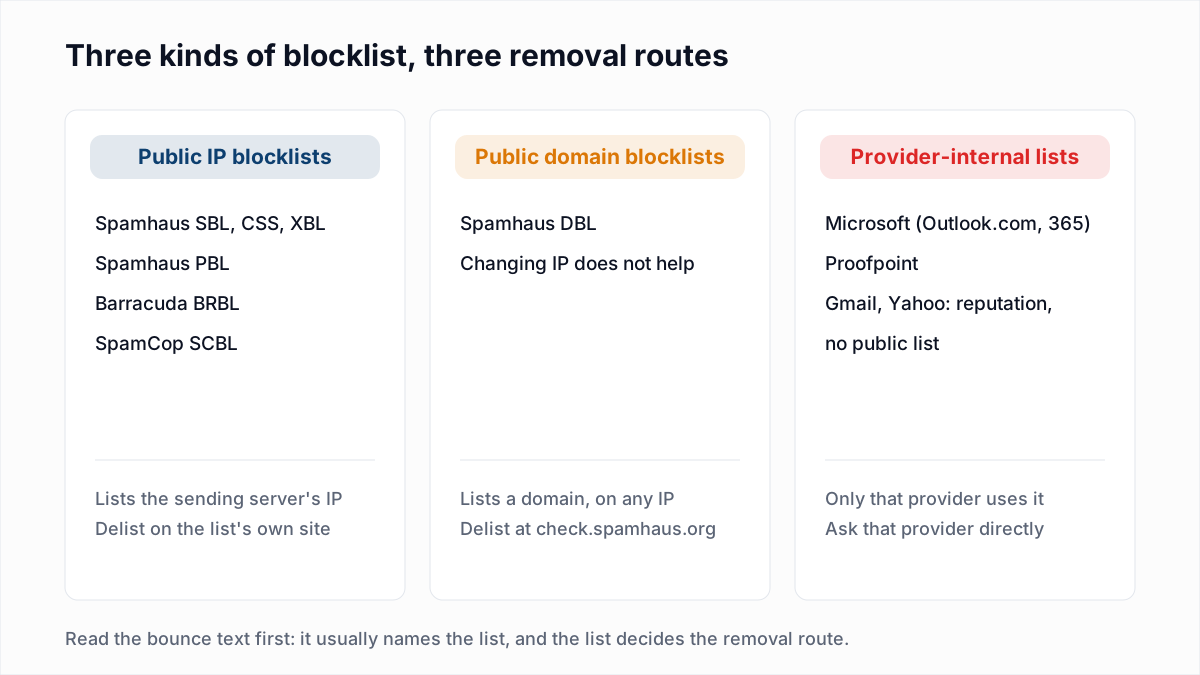
This is a provider-internal list, not a public DNS blocklist. A multi-list checker, including our own blacklist check, cannot see it. The general map of public and private lists is in how to check and remove a blacklist listing; this post covers only the Proofpoint route.
What is Proofpoint Dynamic Reputation (PDR)?
Proofpoint Dynamic Reputation is an automated scoring system for sending IP addresses. Proofpoint's lookup page says it uses machine-learning classification to find IPs that may be compromised to send spam, and that Proofpoint does not intend to block legitimate, expected email.
Proofpoint's FAQ adds four details that matter when you are on the wrong side of it:
- An IP is delayed or blocked when Proofpoint receives messages from it that score as spam or virus. The FAQ says PDR looks at "hundreds of features" of an IP.
- There are two states. An IP that shows signs of spam "may be delayed for a short time". An IP that keeps sending spam is blocked.
- An IP with intermittent spam, for example a shared network with an infected machine on it, can move back and forth between delayed and blocked.
- The FAQ states: "We do not delay or block based on a particular domain or bulk email".
The sources differ slightly on that last point. The FAQ speaks only of IPs, while the newer Postmaster page says the "IP and/or domain" can be blocked and mentions blocklisted domains on infected websites. Either way, start with the IP.
What should you fix before asking Proofpoint to unblock you?
Fix whatever made the IP look like a spam source before you submit anything, because Proofpoint's Postmaster page says it "may not be able to assist if your setup does not meet the above guidelines". In practice, check these in order:
- Compromise. A hacked mailbox, an infected computer behind the same public IP, or a web form being abused to send mail. Proofpoint's FAQ asks you to report "recent network problems" such as removing an infected computer, which tells you what it expects to find.
- Reverse DNS and HELO. The Postmaster page says the IP must map back to the same hostname used in forward DNS, and the HELO name should be a fully qualified domain name that matches it. The checks are in our reverse DNS guide.
- Authentication. Proofpoint asks for SPF, DKIM and DMARC to be published and for the From domain to align. See SPF, DKIM and DMARC explained.
- Volume jumps. For a new IP, the Postmaster page says to increase volume gradually, "no more than 2x the previous volume". A sudden spike is what earns a 421 Deferred. Our IP warm-up schedule gives a ramp.
- List quality and complaints. Proofpoint tells senders to mail only people who opted in, to remove invalid and unengaged addresses regularly, and cites "an industry standard for complaint rates" of under 0.3%. Proofpoint publishes no bounce-rate limit on these pages.
How do you check an IP and request removal from Proofpoint?
You check an IP and request removal on the same Proofpoint page, the Dynamic Reputation IP Lookup, which the ipcheck.proofpoint.com link in the bounce redirects to.
- Get the IP from the bounce. It is the value after
?ip=or the four numbers in the rejection text. If the bounce does not show it, read the message headers or ask your mail provider. - Decide whose IP it is. If it belongs to an email platform, stop here and go to the next section.
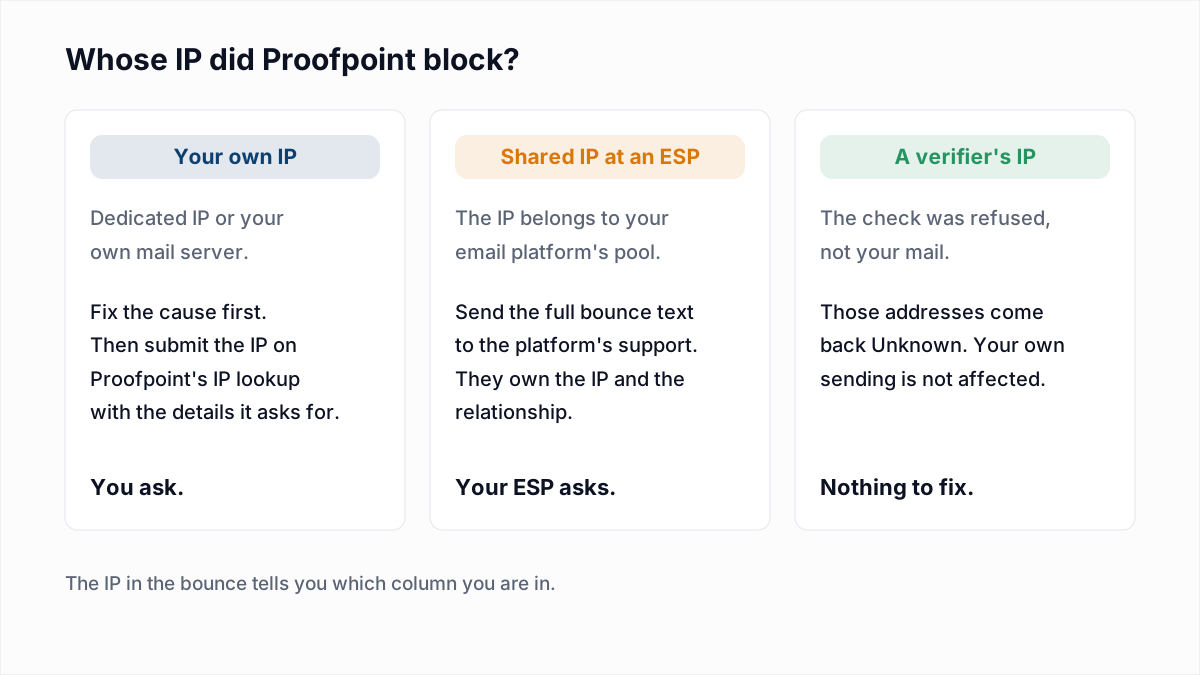
- Open the lookup and enter the IP. The page has one field, "IP Address". Proofpoint describes it as the way to submit information about an IP that is "currently on our IP blocklist" or "experiencing sending delays".
- Give the details Proofpoint asks for. Its FAQ lists them: the recipient of the blocked email, the type of email (personal correspondence, newsletters or company communications), for a company what kind of company it is, and any recent network problem you fixed.
- Wait, then test with one real message. The FAQ says: "We strive to review submitted reports within one business day." That is a review target, not a promise of removal.
Two honest limits. We read the lookup page but did not submit an IP through it, so we cannot describe the screens after the first field. And Proofpoint's separate help article for its Essentials product, titled "Proofpoint Dynamic Reputation (PDR) IP blocklisting and IP address removal", could not be read on 13 November 2026 (it showed a sign-in error), so nothing here relies on it. If your own company is a Proofpoint customer, the lookup page offers clients a separate link "for an expedited response", and the Postmaster page points customers to Proofpoint's Community Portal.
What if the blocked IP is a shared IP at your email platform?
If the blocked IP belongs to an email service provider's shared pool, you cannot fix it or usefully request removal yourself: send the full bounce text to the platform's support team and ask them to handle it with Proofpoint.
The platform owns the IP, its reverse DNS and the other senders on it. Proofpoint's FAQ makes the same point about shared services: if outbound mail is not scanned, any one user can get everyone blocked, so the provider has to act. While you wait, ask whether your mail can move to a different pool. If this happens repeatedly, Proofpoint's Postmaster page is blunt that dedicated IPs are better than shared ones, because reputation then depends only on your own sending. Whether that suits your volume is covered in dedicated vs shared IP.
How long does a Proofpoint block last?
Proofpoint publishes no fixed duration for a Dynamic Reputation block. Its FAQ says a delay is short, and that an IP which keeps sending spam stays blocked until the spam has stopped for a period of time, which it does not quantify.
A request filed while the infected machine is still online, or while the same list is still being mailed, is likely to be followed by a new block.
Why can an email verifier be blocked by Proofpoint too?
An email verifier can be blocked by Proofpoint because it connects from an IP address like any mail server, and Proofpoint judges that IP before any recipient is named. A blocked verifier learns nothing about the mailbox.
That is what happened to us. In the 4 November 2026 test, Proofpoint refused InboxSure at MAIL FROM with the reply at the top of this post. Proofpoint does not say why in the reply, and a verification check sends no message. What matters for your list is how the result is reported: the address comes back Unknown, with the reason sender-rejected:MAIL FROM:550, never Undeliverable. Outlook.com and Yahoo refuse us at the same step for their own reasons, and the reason string is the same.
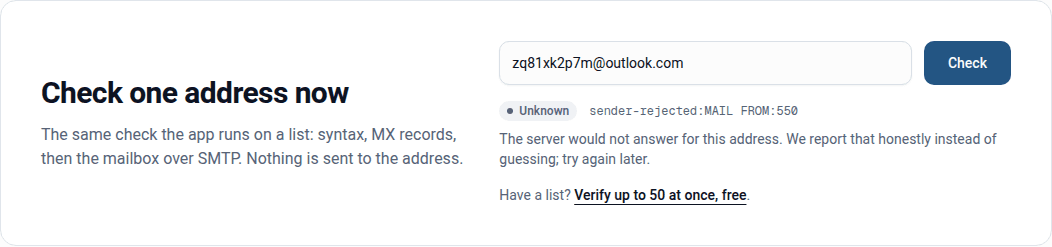
Re-verifying the next day usually returns the same answer, because the block is on the IP and not a timing matter like greylisting. Treat addresses behind Proofpoint as unverified: send to them in a small batch after your Deliverable segment and watch the bounces. Mimecast, the other large gateway, behaved differently in the same test; see Mimecast error codes.
Should you remove addresses that bounced with a Proofpoint block?
No, do not remove addresses that bounced with a Proofpoint Blocked reply, because the refusal was about your sending IP and the mailbox was never checked. Pause mail to those domains, fix the cause, get the IP cleared, then send again.
The exception is your own list hygiene. If the block followed a send to an old or bought list, the list is the cause, and unblocking the IP without cleaning it buys a few days. Verify the list before the next send: InboxSure checks syntax, MX records and the mailbox over SMTP without sending anything, and flags catch-all and role addresses. The bulk email verifier is free for lists of up to 50 addresses and $49 a month for lists of up to 10,000, with no credits.
Frequently asked questions
Related reading
Ready to clean your email list?
Upload a CSV or XLSX and get every address marked deliverable, risky, undeliverable or unknown, with the reason. Free for lists of up to 50, no card. Nothing is sent to your contacts.