What Is a Spam Trap? Types, Risks and How to Avoid Them
A spam trap is an email address that exists only to catch senders who mail people without permission. It never signs up for anything, so any message it receives proves the sender got the address some other way: a bought list, a scraped page, a typo nobody confirmed, or a contact that died years ago and was never removed. Blocklist operators and mailbox providers run them, and hitting one can get your IP or domain blocklisted. You avoid them by controlling how addresses get onto your list, not by trying to find the traps.
Spamhaus puts it in one line in its glossary: "Spamtraps are broadly defined as email addresses which have not opted into any email."
The three types of spam trap
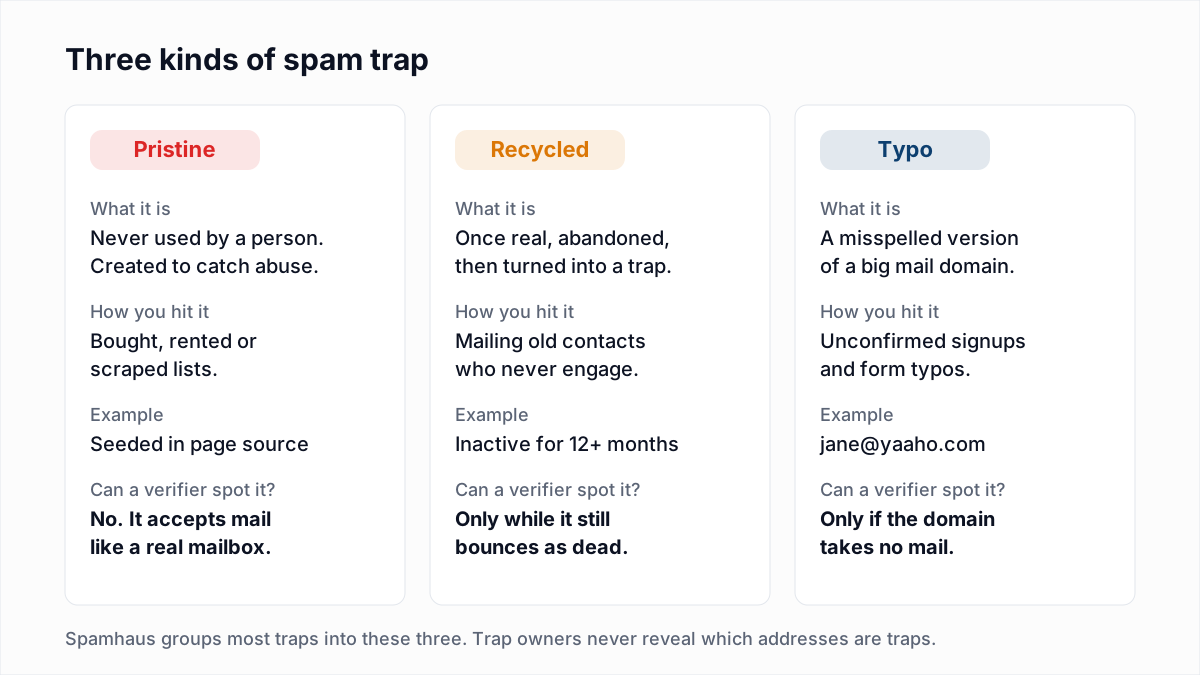
Spamhaus says in its article on the myths of spamtraps clicking links that "most spamtraps fall into three categories: typos, recycled and pristine." Each one is caught by a different bad habit.
Pristine traps
A pristine trap was never used by a person. Spamhaus describes the classic version as an address "never given to a live user or exposed on a website" that receives mail anyway. A related kind, the seeded trap, is placed deliberately where only a scraper would find it, such as in the source code of a web page. Nobody can opt in to a pristine trap, so the only route onto your list is a list you did not build: purchased, rented or harvested data. What else comes with those lists is in is buying email lists legal.
These are the most serious hits because there is no innocent explanation. A pristine trap on your list means part of your list did not come from real signups.
Recycled traps
A recycled trap was once a real mailbox. The owner abandoned it, the provider shut it off, and for a long period it rejected mail as nonexistent. Then it was quietly switched back on as a trap. Spamhaus's sender guidelines say "mailboxes that remain inactive for more than 12 months can be repurposed as spamtraps."
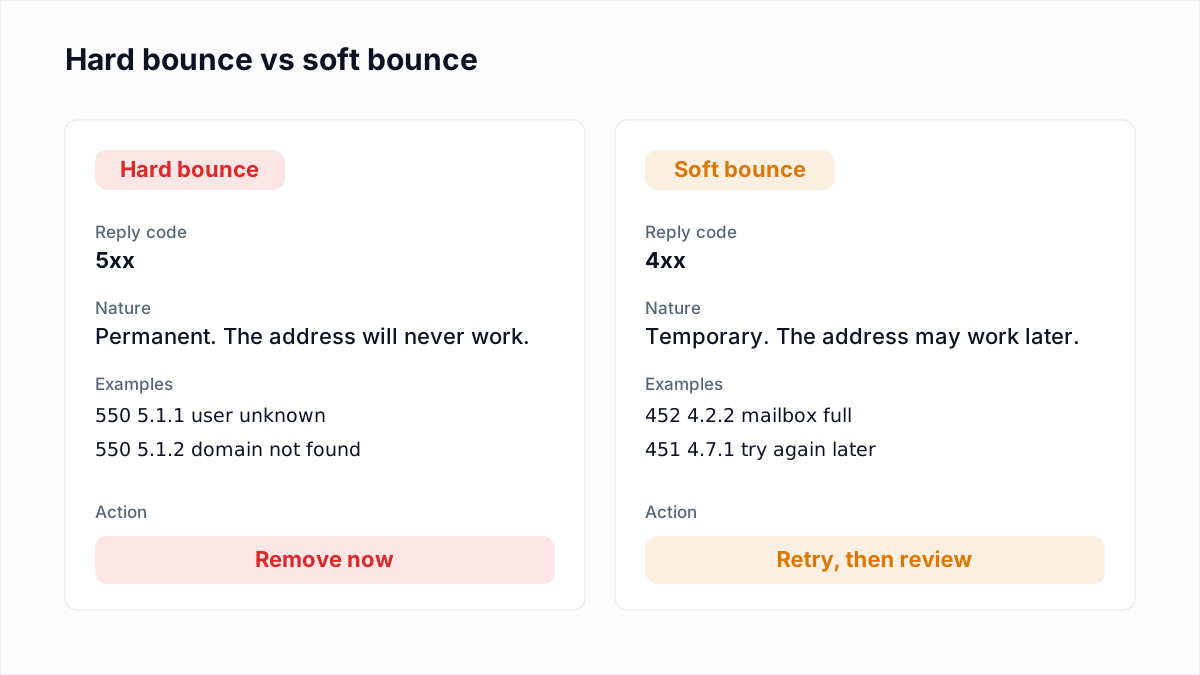
You hit recycled traps by mailing old contacts who stopped engaging long ago and by ignoring hard bounces. The bounce period is the warning: a sender who removes every address that returns 550 5.1.1 never mails it again, so it cannot become a trap on their list. Spamhaus notes that recycled traps make up the majority of spamtraps, which is why list hygiene matters more than anything else here.
Typo traps
A typo trap sits on a misspelled version of a large mail domain. Spamhaus's examples, from Spamtraps: fix the problem, not the symptom, are yaaho.com, ynail.com and homail.com. Someone types their address wrong on your form, nobody confirms it, and you start mailing a domain whose owner collects mistakes.
Spamhaus treats these more gently than pristine traps. Mail to them suggests you were trying to reach real people, so they are "not pure spam traps" and are weighted accordingly. They still count, and they still point to a form without confirmation.
Other kinds Spamhaus lists
The three types are a simplification. The same Spamhaus article also describes dead domain traps (expired domains bought by trap owners and reactivated to collect mail) and live traps (real people's mailboxes whose owners feed unsolicited mail into blocking decisions). Role addresses from domain registration records, like abuse@ and postmaster@, fall into this group and should almost never be on a marketing list.
Who runs spam traps
Two groups do most of the work. Blocklist operators such as Spamhaus run trap networks and use the hits to decide which IPs and domains to list. Mailbox providers turn dead accounts into traps and use what arrives as one input to their own filtering. Anti-spam vendors and researchers run them too, and some share their trap data with Spamhaus, so a hit on one organisation's trap can affect how others see you.
None of them publish their trap addresses. "Spamtraps are never revealed by their owners," says Spamhaus, and its glossary explains why: a revealed trap stops being useful the moment senders can scrub it.
What happens when you hit a spam trap
There is no published formula. Operators weigh trap types differently, consider how many hits arrive and how often, and look at the rest of your sending. What you can expect, in rough order of severity:
- Quietly worse inbox placement. Mailbox providers fold trap hits into their reputation for your IP and domain. More of your mail lands in spam, and nothing tells you why.
- A blocklist entry. Spamhaus's article on sunset policies warns that poor sunset practices combined with weak bounce handling can lead to a listing on the Spamhaus Blocklist (SBL). Servers that use the list then refuse your mail outright.
- Action from your sending platform. Email service providers watch for blocklistings on their shared IPs and may suspend an account that causes one.
The damage spreads past the list that caused it. A blocklisted IP or domain fails for every message, including password resets and invoices.
How to tell if you hit a spam trap
You will never get a message saying "you hit trap X". You see the effects, and you work backwards.
| If you see this | What it likely means | Do this |
|---|---|---|
Bounces that name a blocklist, such as blocked using zen.spamhaus.org | Your sending IP or domain is listed | Look it up on Spamhaus and follow the Spamhaus removal steps |
| A sudden jump in spam-folder placement at one provider after a send to an old segment | Possible recycled trap hits at that provider | Stop mailing that segment; check provider dashboards such as Google Postmaster Tools |
| A filtering vendor rejecting you at connection, before any recipient is named | Your IP has a poor reputation with that vendor | Use the vendor's lookup link in the bounce text |
| A warning or suspension from your sending platform | The platform saw a listing or trap feedback tied to your account | Ask which list or campaign triggered it |
A Postfix server that rejects mail because of a Spamhaus listing usually words it like this (the other variants are in 554 5.7.1 explained):
554 5.7.1 Service unavailable; Client host [203.0.113.10] blocked using zen.spamhaus.orgFiltering vendors say the same thing in their own words. In InboxSure's November 2026 provider research, a Proofpoint-protected domain answered:
550 5.7.0 Blocked - see https://ipcheck.proofpoint.com/?ip=[IP]To check where you stand, enter your sending IP and domain in the Spamhaus Reputation Checker. A listing there, appearing shortly after a send to an old or acquired segment, is the clearest sign of trap hits you will get. Our guide to email blacklist checks and removal covers the delisting process. For a one-time lookup across several public lists, use the blacklist check.
Can you identify spam traps on your list?
No, not reliably, and a tool that claims to find pristine traps is guessing. A pristine trap is a working mailbox. It accepts mail, it answers an SMTP check exactly like a real person's inbox would, and its address looks ordinary. There is nothing to detect. Spamhaus's sender guidelines are blunt: "Do not attempt to identify or suppress a spam trap address." Its article on fixing the problem adds that trying to locate and remove traps "only treats the symptom and not the underlying problem."
To be explicit: InboxSure does not detect spam traps. No email verifier can promise to, because the operators never publish the addresses.
How verification still helps
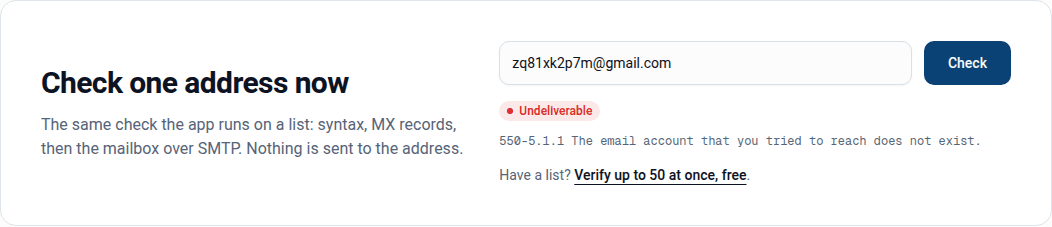
Verification does not find traps, but it removes the addresses that tend to sit next to them, and it tells you when a list has the history that produces them.
- Dead mailboxes. An address that returns
550 5.1.1 user unknowntoday could be a recycled trap in a year. Removing it now means you never mail it after it is switched back on. - Domains that take no mail. Misspelled domains with no MX record fail verification and come out of the list. A typo domain that has been set up as a trap does accept mail, though, and will not fail, so read your domain column for near-misses of gmail.com, yahoo.com and hotmail.com yourself. See email typos and misspelled domains.
- A warning about the list as a whole. If a large share of a list comes back Undeliverable, the list is old or was not collected from signups. That is exactly the kind of list that also holds recycled and pristine traps. The safe move is to not send it at all, not to send the Deliverable rows and hope.
- Catch-all domains on unfamiliar lists. Spamhaus notes that some classic traps sit on domains that accept mail to any address. A verifier reports those as catch-all, which means unconfirmed. On a list you did not collect, treat them with extra suspicion.
How to avoid spam traps
Every one of these targets a route by which non-consenting addresses reach your list.
- Never buy, rent or scrape a list. Spamhaus's sender guidelines say "purchased, rented and harvested lists are the most common source of spam trap hits." This one habit removes almost all pristine trap risk.
- Use double opt-in. Send a confirmation link and only add the address once it is clicked. A trap cannot click it and a typo address never receives it. Spamhaus calls confirmed opt-in "a perfect way to avoid your lists being polluted by these nuisance traps."
- Suppress hard bounces immediately. Spamhaus says exactly that, and also to keep the overall bounce rate below 5%. Our guide to reducing your bounce rate covers how, and the published limits are in what is a good email bounce rate.
- Sunset unengaged contacts. Decide how long someone can go without opening or clicking before you stop mailing them. Spamhaus's sunset article notes that mailbox providers can investigate an address unengaged for anywhere from three to twelve months, and that M3AAWG suggests twelve months as a minimum for trap aging. Run a re-engagement campaign first, staggered over several days, then suppress whoever does not respond.
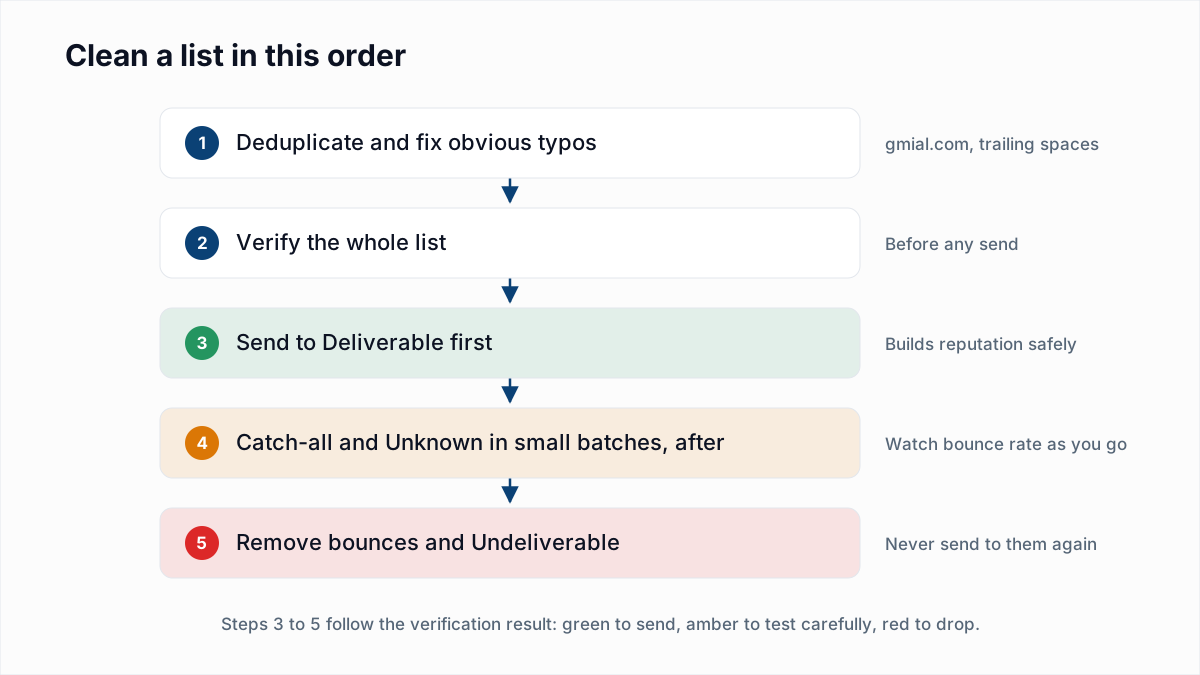
- Verify before you send to anything old. A list that has sat unused for months needs checking before it goes near your sending IP. How often depends on how fast your list decays; see how often to clean an email list.
- Keep role addresses from registration records off marketing lists.
abuse@andpostmaster@do not subscribe to newsletters. More in role-based email addresses.
If you think you already hit one
- Pause the segment you sent to most recently, especially if it was old or acquired.
- Check your IP and domain on the Spamhaus Reputation Checker.
- Work out where that segment came from. If it was bought or scraped, delete it; there is no cleaning it.
- If it was your own list, suppress everyone without engagement in your sunset window and verify the rest.
- Fix the cause before requesting removal. Spamhaus's point throughout is that a trap hit is evidence of a data collection or hygiene problem, and delisting without fixing it just leads to the next listing.
Where InboxSure fits
InboxSure checks syntax, MX records and the mailbox itself over SMTP without sending, and flags catch-all, role and disposable addresses. It removes the dead mailboxes and dead domains that turn into recycled traps, and it shows you when a list is too stale to send. It does not detect spam traps; nothing can promise that. To clean a list before your next campaign, upload it to the bulk email verifier: lists of up to 50 addresses are free, and Pro checks lists of up to 10,000 for a flat $49 a month.
Frequently asked questions
Related reading
Ready to clean your email list?
Upload a CSV or XLSX and get every address marked deliverable, risky, undeliverable or unknown, with the reason. Free for lists of up to 50, no card. Nothing is sent to your contacts.