Email Deliverability Checklist: 25 Things to Check
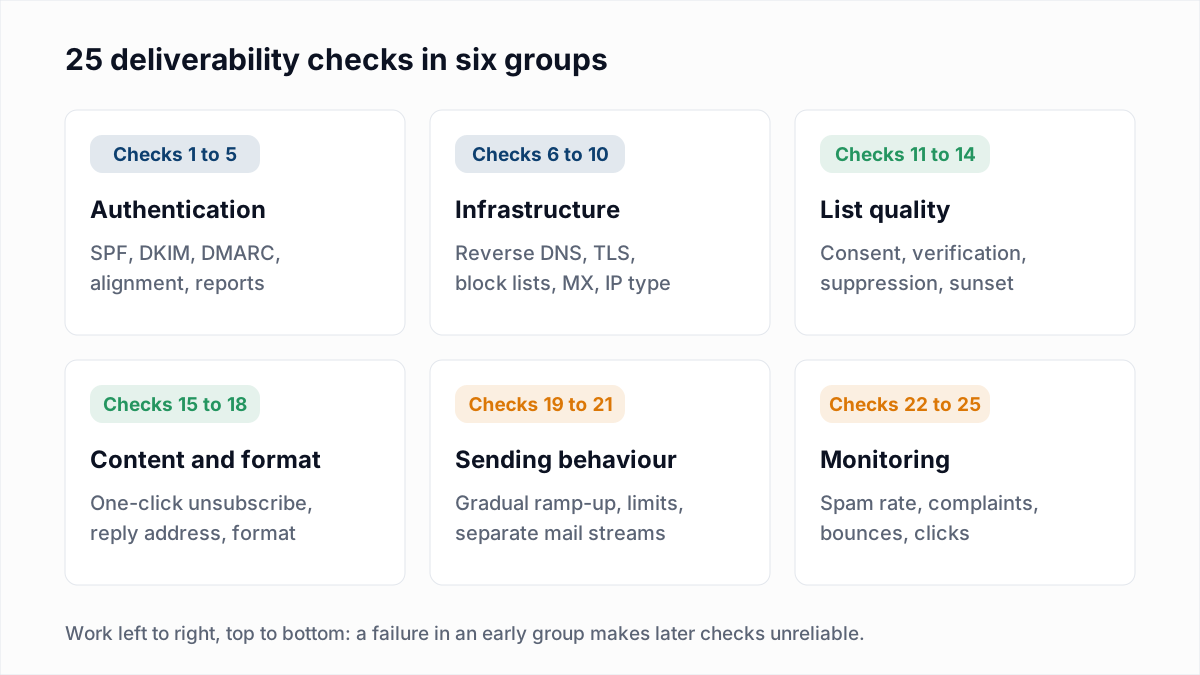
An email deliverability checklist is a fixed list of checks on what a sender controls: DNS records, sending infrastructure, the list, the message and the sending pattern. This one has 25. Where Google, Yahoo or Microsoft publish a requirement, the item quotes it from the provider's page as read on 13 November 2026: Google's Email sender guidelines, Yahoo's Sender Hub best practices and Microsoft's high-volume sender post. Passing every check removes known causes of spam placement. It cannot promise the inbox, because filters also use history that no outside test can see.
What authentication checks belong on a deliverability checklist?
A deliverability checklist starts with five authentication checks: SPF, DKIM, DMARC, alignment and DMARC reports. The side-by-side rules are in Gmail, Yahoo and Outlook sender requirements.
- Publish one SPF record that covers every service sending as your domain. Google and Yahoo require SPF or DKIM from every sender and both from bulk senders. Microsoft says SPF "Must Pass for the sending domain." A domain can have only one SPF record, and it must stay within 10 DNS lookups. Build it with the SPF generator, test it with the SPF checker, and see what an SPF record is and the lookup limit.
- Turn on DKIM signing with your own domain at every sender. Microsoft says DKIM "Must Pass". A platform's default signature passes DKIM but does not align with your From address. Confirm each selector with the DKIM checker; background in what is DKIM.
- Publish a DMARC record with at least p=none and a rua address. Yahoo's rule for bulk senders reads "Publish a valid DMARC policy with at least p=none - DMARC must pass", and Yahoo strongly recommends a
ruatag. Google and Microsoft set the same minimum. Use the DMARC generator and the DMARC checker. - Confirm alignment in a real message. Google's bulk rule is that "the domain in the sender's From: header must be aligned with either the SPF domain or the DKIM domain." Send a campaign email to a Gmail address and paste the header into the email header analyzer. Fixes are in why DMARC fails.
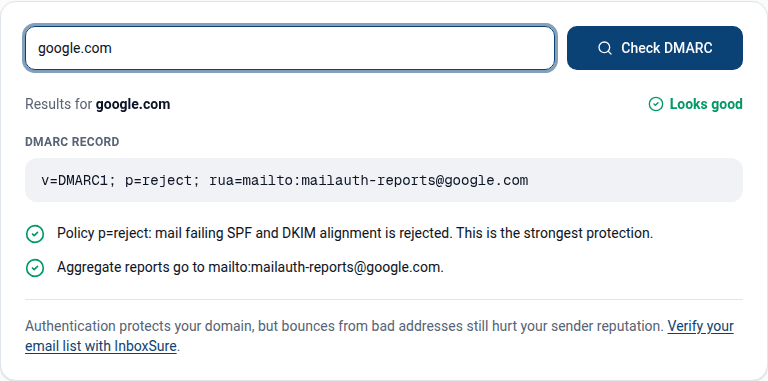
- Read your DMARC reports and plan the move to quarantine or reject. No provider requires enforcement as of November 2026, but reports reveal senders you forgot. See how to read DMARC reports and DMARC none, quarantine and reject.
What infrastructure and reputation checks should you run?
Infrastructure checks cover the sending IP and domain: reverse DNS, TLS, block lists, MX records and the kind of IP you send from. If you send through Google Workspace, Microsoft 365 or a large email platform, the provider handles checks 6 and 7.
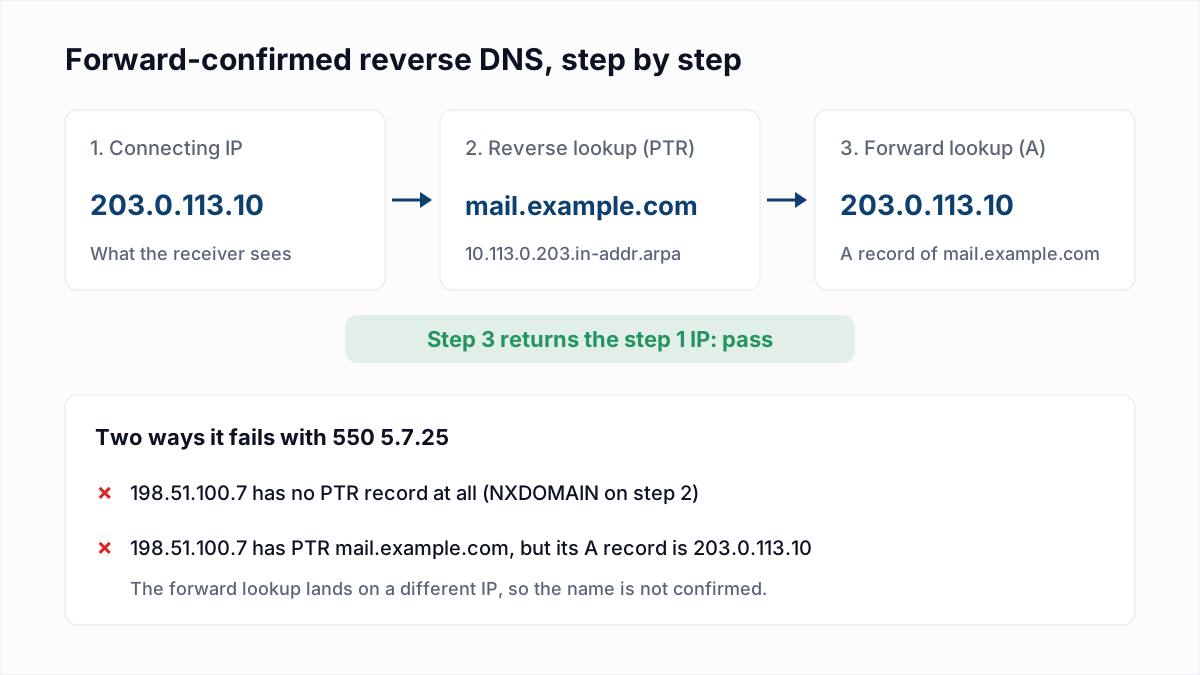
- Check that every sending IP passes forward-confirmed reverse DNS. Google says: "Ensure that sending domains or IPs have valid forward and reverse DNS records, also referred to as PTR records." Yahoo asks for the same. In InboxSure's research on 4 November 2026, Yahoo answered a failing IP with
550 5.7.25 Forward-confirmed reverse DNS failed. See 550 5.7.25 and PTR records. - Send over TLS. Google's rule for all senders is: "Use a TLS connection for transmitting email." Ports and STARTTLS are covered in SMTP ports explained.
- Look up the sending IP and domain on public block lists. The blacklist check runs a one-time lookup. Private lists, such as Microsoft's, show up only as bounces. See blacklist check and removal.
- Make sure the sending domain has working MX records. Bounces and replies need somewhere to land. Run the MX lookup; background in what is an MX record.
- Know whether you send from a shared or a dedicated IP. A shared pool carries other senders' behaviour, and a dedicated IP needs steady volume. See dedicated vs shared IP and how to check domain reputation.
What list quality checks prevent bounces and complaints?
List quality checks confirm that every address was given with consent, exists, and still wants the mail.
- Collect addresses with consent and confirm them. Yahoo recommends: "When users subscribe to your mailing list, send them an email asking them to click to confirm their opt-in." See double opt-in vs single opt-in and why not to buy lists.
- Verify the list before you send. Yahoo says: "Remove invalid recipients from your list promptly." Microsoft recommends regular removal of invalid addresses. The bulk email verifier checks syntax, MX and the mailbox over SMTP without sending, and flags catch-all, role and disposable addresses. As of November 2026, Yahoo, AOL and Outlook.com consumer addresses come back Unknown, because those providers refuse the check. The routine is in email list hygiene.
- Suppress hard bounces, unsubscribes and complaints. Suppress and do not delete, because a deleted contact can be re-imported and mailed again. See email suppression lists and soft vs hard bounces.
- Stop mailing people who no longer engage. Yahoo tells senders to monitor "inactive recipients". A timeline is in email sunset policy.
What content and format checks matter?
Content checks are about headers and structure more than wording: unsubscribe headers, a reply address, standard formatting and honest subject lines.
- Add one-click unsubscribe to marketing mail. Google's bulk rule is: "Marketing messages and subscribed messages must support one-click unsubscribe." Yahoo says "Honor unsubscribes within 2 days"; Google recommends 48 hours. Header syntax is in the List-Unsubscribe header.
- Use a From or Reply-To address that accepts replies. Microsoft recommends an address that is valid, reflects the true sending domain and can receive replies. See no-reply addresses.
- Format the message to the standards. Google asks for RFC 5322 formatting and adds: "Make sure every message includes a valid Message-ID" and "Don't use HTML and CSS to hide content in your messages." Check the raw message with how to read email headers.
- Keep subject lines honest and ignore trigger-word lists. Microsoft recommends accurate subject lines and no deceptive headers. No major provider publishes a list of banned words; see spam trigger words.
What sending behaviour checks should you make?
Sending behaviour checks cover how fast volume grows, how you react to deferrals, and whether different kinds of mail are kept apart.
- Increase volume gradually. Google says: "Increase sending volume slowly to avoid delivery problems." No mailbox provider publishes a schedule; the ones email platforms publish are in IP warm-up schedule, and new domains are covered in email warmup.
- Stay inside sending limits and slow down on 4xx replies. A 421 or 451 reply is a deferral, not a bounce. See email sending limits, email throttling and 421 4.7.0.
- Keep marketing, transactional and outreach mail apart. Yahoo says: "Don't send bulk/marketing email from the same IPs you use to send user mail, transactional mail, alerts, etc." Google says to use a different IP address for each message type. See sending from a subdomain and transactional vs marketing email.
What should you monitor after each send?
After each send, monitor four numbers: the spam rate Google reports, complaints, bounces and clicks.
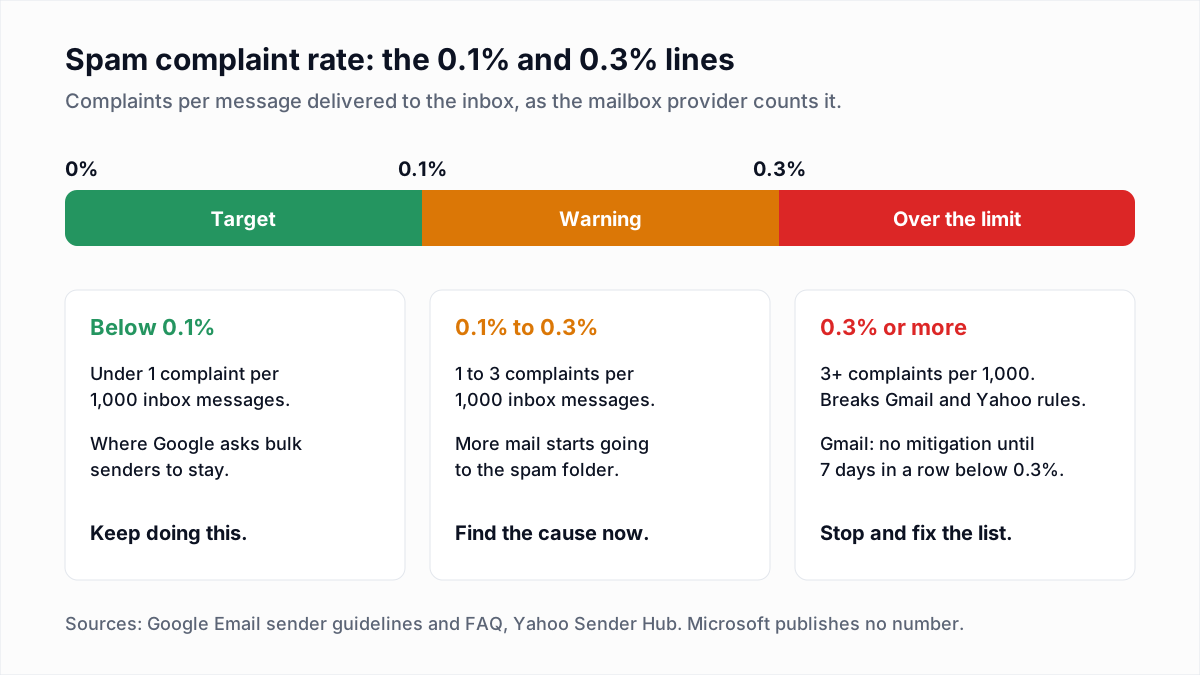
- Watch your spam rate in Google Postmaster Tools. Google says: "Keep spam rates reported in Postmaster Tools below 0.10% and avoid ever reaching a spam rate of 0.30% or higher." Yahoo's limit is 0.3%. See Google Postmaster Tools and spam complaint rate.
- Enrol in the feedback loops you qualify for. Yahoo's Sender Hub tells senders to use its Complaint Feedback Loop to monitor their complaint rate. See email feedback loops and the Microsoft SNDS guide.
- Calculate the bounce rate of every send. Google publishes no bounce limit. Spamhaus's sender guidelines say to stay below 5%. Use the bounce rate calculator, then read bounce rate benchmarks and email bounce codes.
- Judge engagement by clicks and replies, not opens. Apple Mail preloads images, so opens are inflated. See Apple Mail Privacy Protection and delivery rate vs deliverability.
How do you run this deliverability audit in an hour?
Run the deliverability audit in the order below, so that a failure found early is fixed before later checks depend on it. The minutes are a guide for one domain and one or two sending tools.
- Test message, 10 minutes. Send a real campaign email from each sending tool to a Gmail address, open Show original, and paste the header into the email header analyzer. Covers checks 2, 4, 7, 15 and 17.
- DNS, 10 minutes. Run the SPF, DKIM and DMARC checkers and the MX lookup on every sending domain and subdomain. Covers checks 1, 2, 3 and 9. All the records are explained in DNS records for email.
- Your own IPs, 5 minutes. Run
dig -xon each sending IP and the blacklist check. Covers checks 6 and 8. Skip this on a provider's shared IPs. - Provider data, 10 minutes. Open Postmaster Tools, your feedback loop reports and the last three campaign reports. Covers checks 22 to 25.
- The list, 15 minutes. Export it, apply the suppression list, and verify it. Covers checks 11 to 14.
- The plan, 10 minutes. Write down the daily volume, the ramp and which domain sends which stream. Covers checks 19 to 21, plus anything left from 5, 10, 16 and 18.
For a deeper pre-send test, including spam scoring and seed mailboxes, see how to test email deliverability.
What counts as a pass for each deliverability check?
A deliverability check passes when the tool or page below shows the stated condition. The table covers the checks with a clear pass or fail.
| Check | Tool or place | Pass condition |
|---|---|---|
| 1. SPF | SPF checker | One record starting v=spf1, using 10 or fewer DNS lookups. |
| 2. DKIM | DKIM checker | A public key is published at every selector you sign with. |
| 3. DMARC | DMARC checker | One record at _dmarc with p=none or stricter and a rua address. |
| 4. Alignment | Gmail Show original, or the email header analyzer | spf=pass, dkim=pass and dmarc=pass, with header.from showing your domain. |
| 6. Reverse DNS | dig -x on the sending IP, then dig on the host name | The PTR host name resolves back to the same IP. |
| 7. TLS | Received line in Show original | The line from your server names a TLS version. |
| 8. Block lists | Blacklist check | The IP and domain are not listed on the lists checked. |
| 9. MX | MX lookup | At least one MX host that resolves to an address. |
| 12. List verification | Bulk email verifier | Undeliverable addresses removed; Risky and Unknown handled on purpose. |
| 15. One-click unsubscribe | Raw headers of a marketing message | List-Unsubscribe with an HTTPS URL, plus List-Unsubscribe-Post: List-Unsubscribe=One-Click. |
| 22. Spam rate | Google Postmaster Tools | Below 0.10%, and never 0.30% or higher. |
| 24. Bounce rate | Bounce rate calculator | Below 5%, the line Spamhaus publishes. Google publishes none. |
Verification covers one group of this checklist, not all six: it removes addresses that would hard bounce and cannot fix authentication or predict complaints. To start with the list, the free email verifier checks single addresses, and InboxSure's Free plan verifies lists of up to 50 addresses with no card; Pro is a flat $49 a month for lists of up to 10,000.
Frequently asked questions
Related reading
Ready to clean your email list?
Upload a CSV or XLSX and get every address marked deliverable, risky, undeliverable or unknown, with the reason. Free for lists of up to 50, no card. Nothing is sent to your contacts.